Viewing a specific contact: view
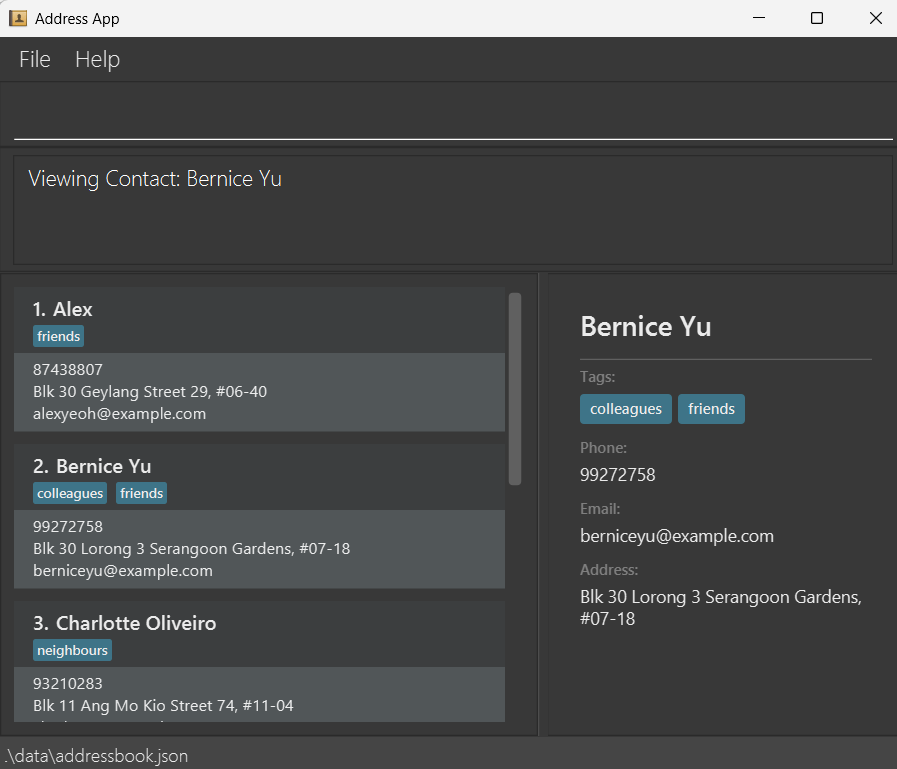
Displays a specific contact's full details in a side panel.
Format: view INDEX
- Displays the contact at the specified
INDEXin a separate panel. - The index refers to the index number shown in the displayed contact list.
- The index must be a positive integer 1, 2, 3, …
- If the viewed contact is subsequently edited (e.g. via
editornote), the detail panel updates automatically to reflect the changes.
Example:
view 1displays the details of the 1st contact.
Viewing available files: view files
Displays all the B2B4U contact list files in the data subfolder in a side panel, each with the number of contacts they contain.
Image to be added
Format: view files